Share Google Drive Folder
- Open Google drive, https://drive.google.com
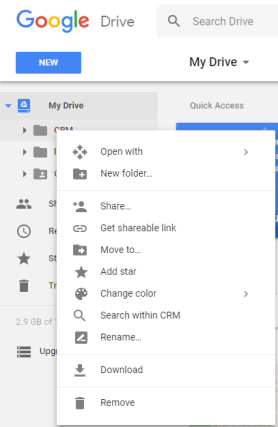
- Right click folder you want to share and click Share…
- Add email address of person you want to share with
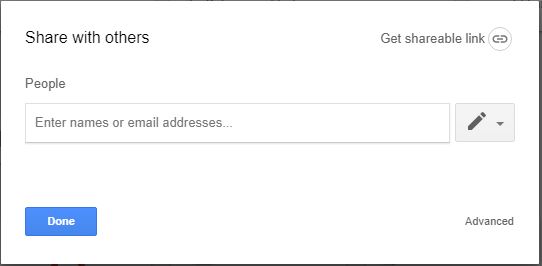
- Click “Done”
Add shared folder to recipients Google drive folder
- Recipient should login into their Google drive account. drive.google.com.
- On the left, click Shared with me.
- Click the files or folders you want to add to your drive.
- In the top right, click Add to My Drive
.
- Click Organize.
- Choose the folder you want to add to.
- Click Move or Move here.
Download and install Google File Stream onto their computer and install
 PC Paramedic-Computer Log