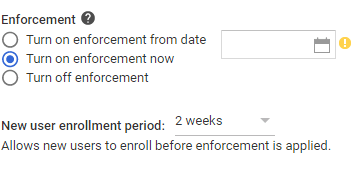
If you didn’t notice when you turned on 2-step verification for the whole domain, there is an option to set a time period, where the new user can sign in without 2-step verification. If 2-step verification is on, then the new user will not be able to sign in for the first time if you don’t set an enrollment period.
Go to the admin console, click Security / Basic Settings / then under “2-step verification” click “Go to advanced settings to enforce 2-step verification”. On the next page under Authentication, there is something called “new user enrollment period”
Google Apps
 PC Paramedic-Computer Log